Connect guide
Connect your adapter.
Plug it in, switch the ignition on, open BeepBeep. That's most of it. You don't need to go to Bluetooth settings first: BeepBeep finds your adapter and connects it for you.
Plug it in
The OBD-II port is under the dashboard, usually near the steering wheel or the fuse box. Push the adapter in fully; its light comes on.
Ignition on
Key to "on" or start the engine. Engine running is best: some vehicles answer only then.
Connect in BeepBeep
Tap Connect. Your adapter is marked Probably your adapter. Tap it. The first connection takes a few seconds while BeepBeep learns your vehicle.
Step by step
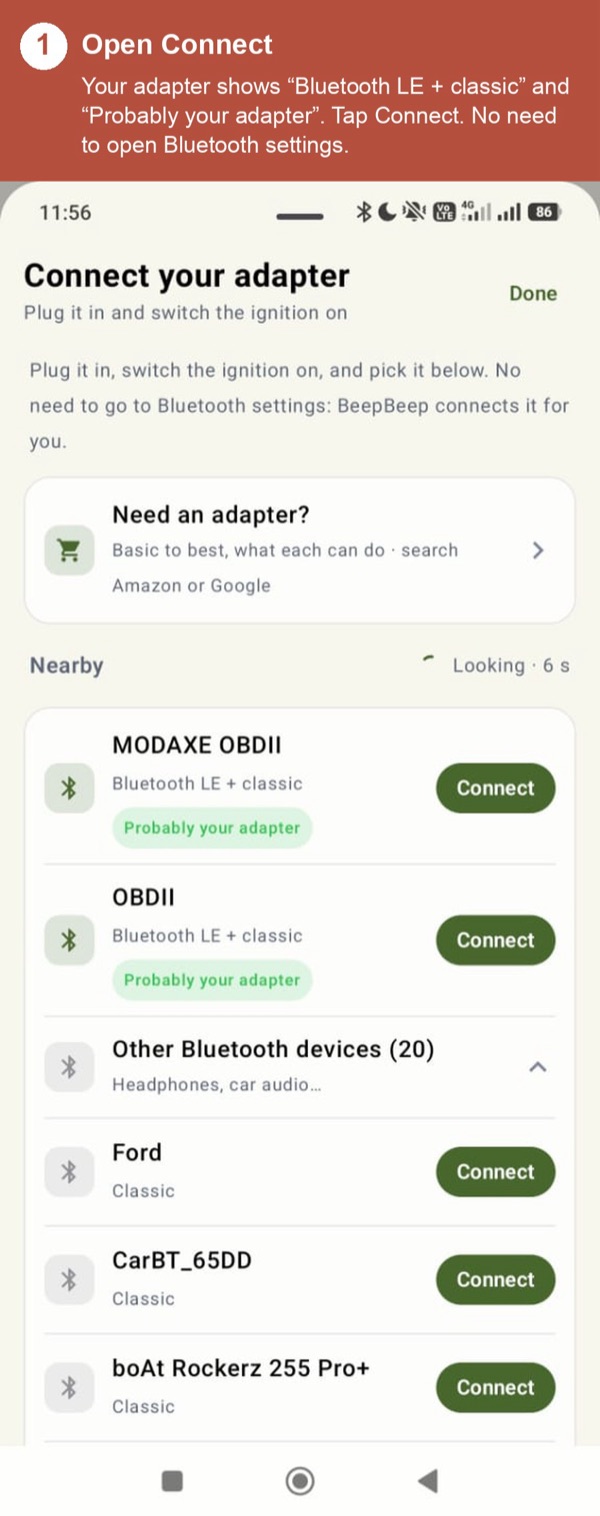
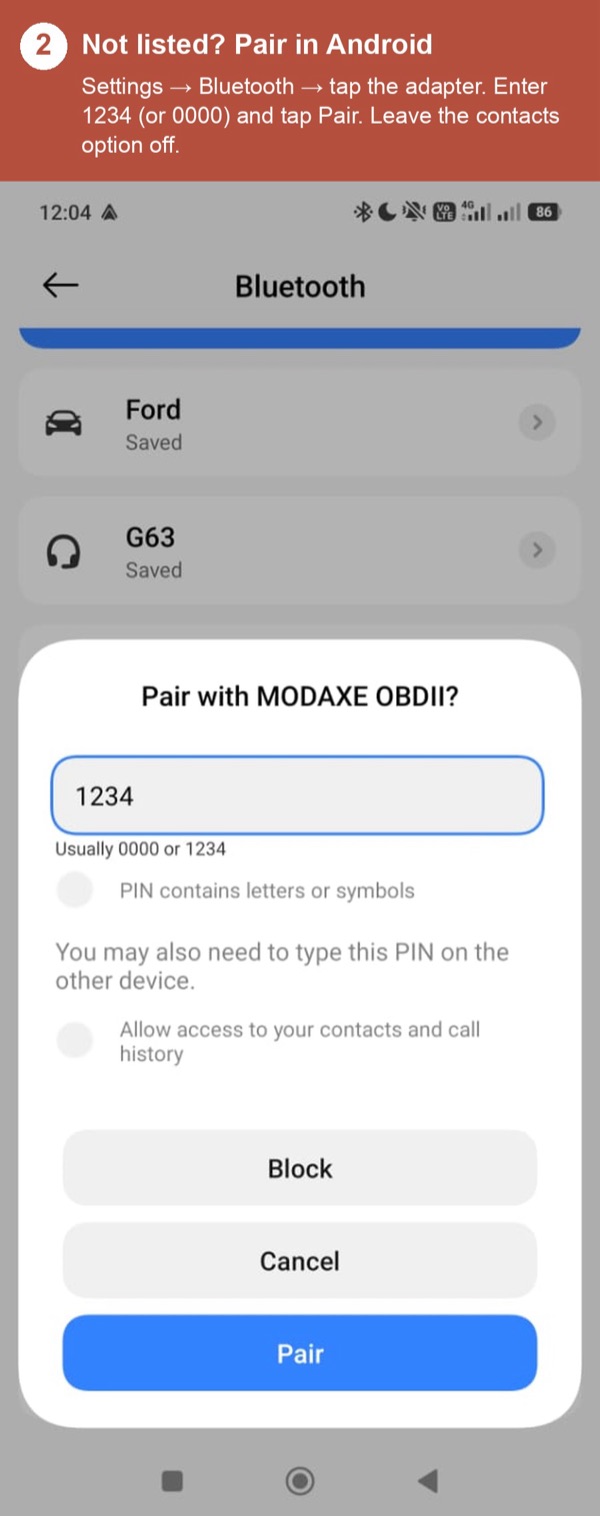
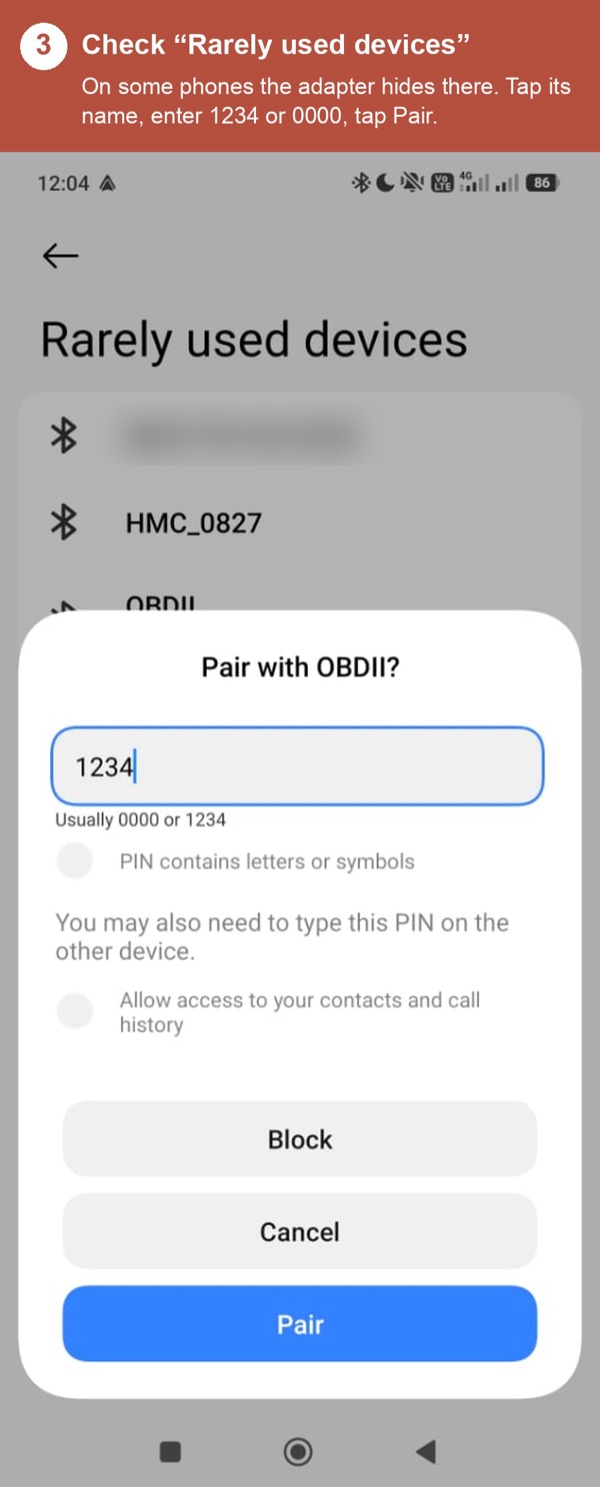
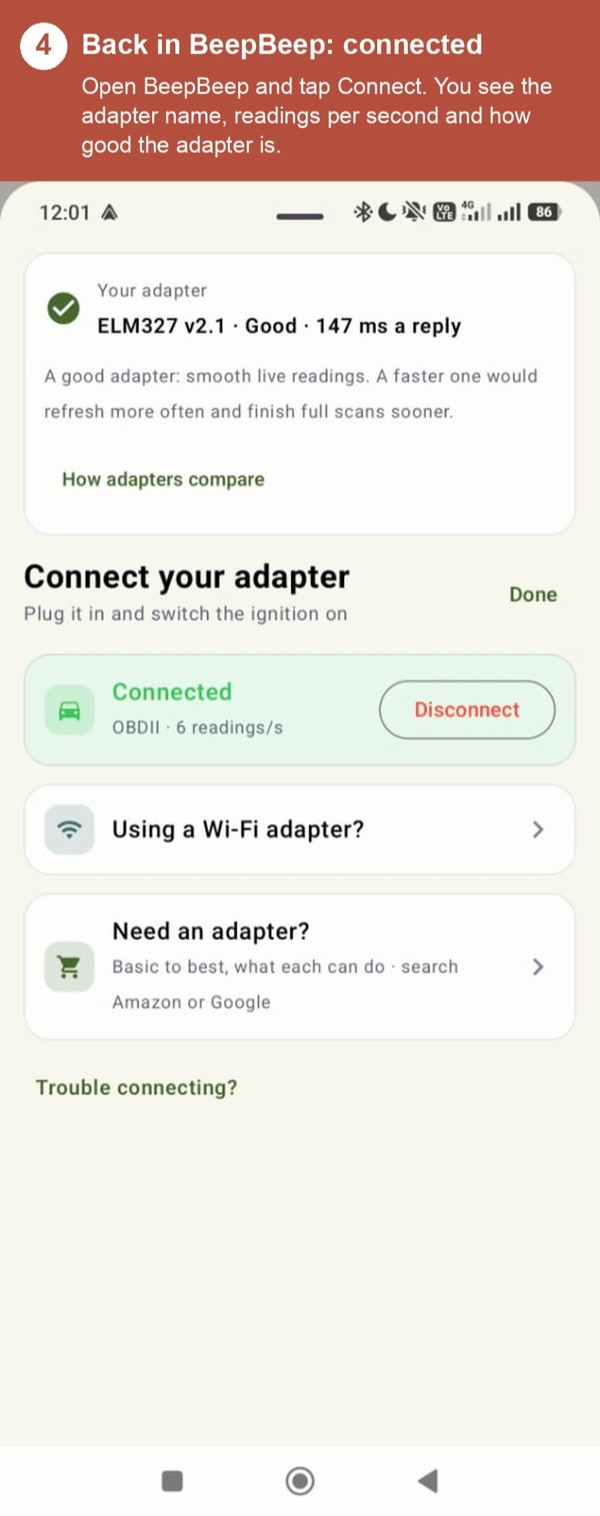
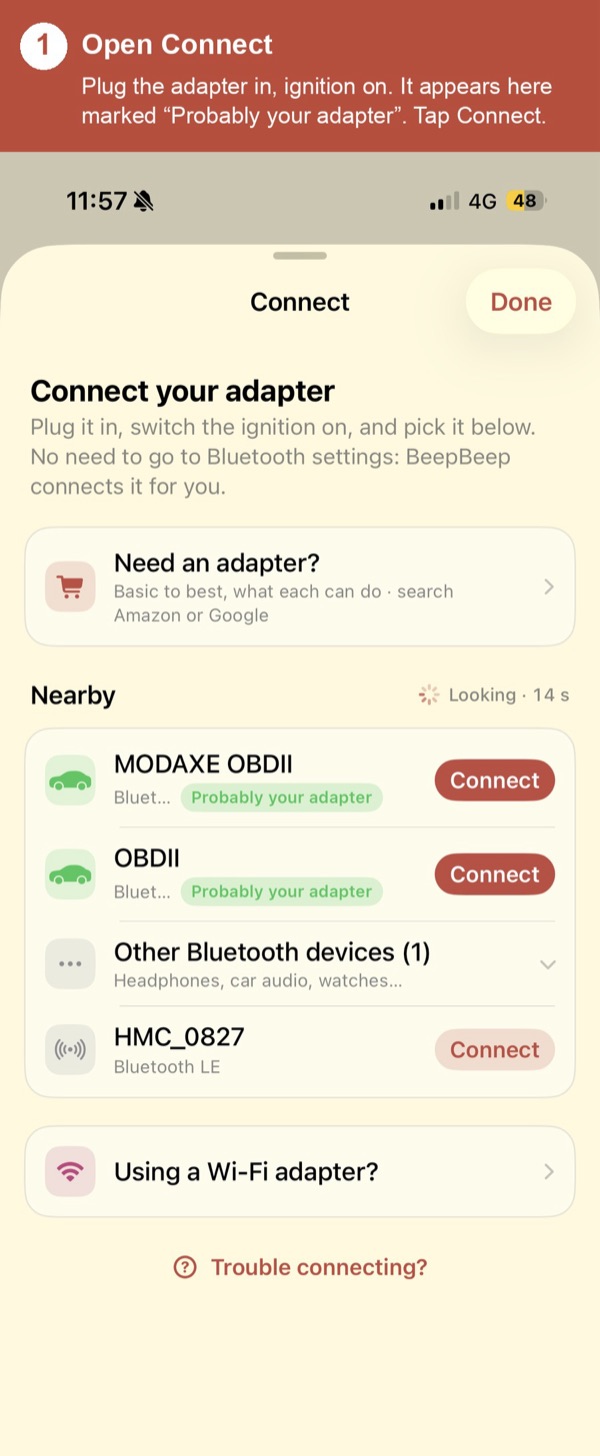
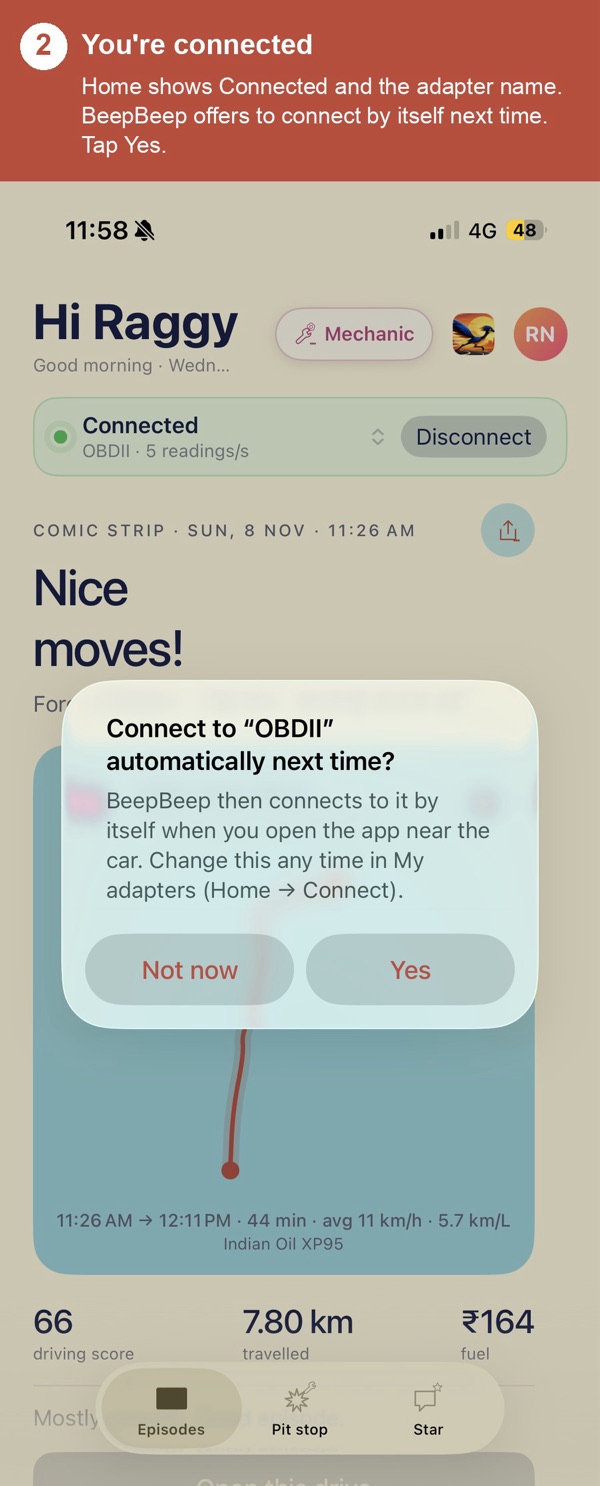
iPhone works with Bluetooth LE and Wi-Fi adapters. "Classic" Bluetooth adapters that pair with PIN 1234 can't connect to iPhones: that's an Apple limit. Need BeepBeep for iPhone first? Install it with TestFlight.
Wi-Fi adapters
- Plug it in, ignition on.
- In your phone's Wi-Fi settings, join the adapter's network (often named "WiFi_OBDII" or similar).
- In BeepBeep: Connect → Using a Wi-Fi adapter? Most adapters use address 192.168.0.10, port 35000 (pre-filled). Tap Connect via Wi-Fi.
While the phone is on the adapter's Wi-Fi, it may say "no internet". That's normal: mobile data keeps working on most phones, and trips record either way.
Trouble connecting?
Do I pair it in Bluetooth settings first?
No. Open BeepBeep and pick your adapter: it pairs and connects by itself. Paired it already? That's fine, BeepBeep will use it.
It shows up twice
Some adapters offer two kinds of Bluetooth. BeepBeep treats them as one and picks the best way.
Android asks for a code
A classic Bluetooth adapter: pick it in BeepBeep and tap Pair. Try 1234, then 0000.
"Adapter found, but the vehicle isn't answering"
The adapter is fine; the vehicle is asleep. Switch the ignition on (engine running is best), then tap Try again.
It doesn't appear at all
Is the adapter's light on? Push it in fully. Close any other OBD app (only one app can talk to an adapter at a time), switch the phone's Bluetooth off and on, and look again. On iPhone, check the adapter is Bluetooth LE or Wi-Fi.
Still stuck?
In BeepBeep, open Settings → Support → BeepBeep it to send us the adapter log: it shows exactly what your vehicle and adapter said. Or ask in the BeepBeep community.
Connected. Now what?
Start the engine and drive: the trip records by itself. Or open Mechanic → Dashboard for your first live readings, and run a Full scan to read every computer your adapter can reach.